
An agent handing a request to a specialist is not the same as resolving it. A guardrail stopping an action is not necessarily a system failure. A completed run can still contain a wrong answer. These distinctions matter when you turn OpenAI Agents SDK activity into product metrics.
OpenAI Agents SDK monitoring should connect the public request, run execution, handoffs, tool results, and observed outcome. Use the SDK’s execution tracing for internal behavior, and record a stable application conversation so you can understand the user’s experience across runs.
Agnost AI supports application-level tracking and a documented Agents SDK integration. The direct wrapper below adds a conversation boundary. It does not automatically export OpenAI’s built-in traces to Agnost.
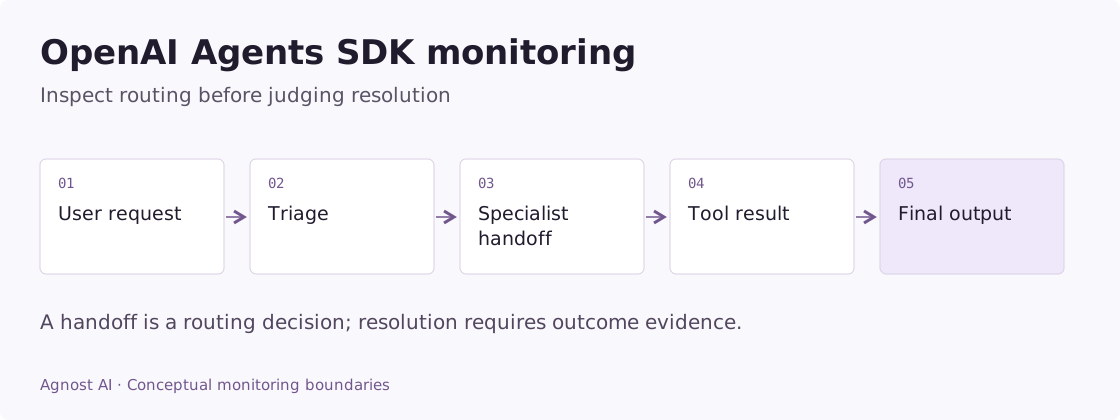
Worked example: billing context disappears during a handoff
In an illustrative support application, a user gives an invoice reference and asks why they were charged twice. A triage agent routes the request to billing, but the specialist asks for the invoice again.
| Evidence | What to look for |
|---|---|
| User’s original turn | The invoice reference was actually present |
| Handoff input | Relevant, approved context was preserved |
| Specialist behavior | It used the reference rather than requesting it again |
| Billing tool result | It returned the correct invoice and payment status |
| Final answer | It accurately described the recorded billing outcome |
If context was dropped at the handoff, changing the specialist’s model may not address the problem. If context arrived but the tool lacked access, the failure is at a different boundary. Preserve a safe resource reference instead of exporting full billing details.
The user’s repeated question is useful evidence of friction. It is not proof that every handoff is harmful. Compare requests that genuinely need a specialist with similar requests, rather than trying to minimize routing indiscriminately.
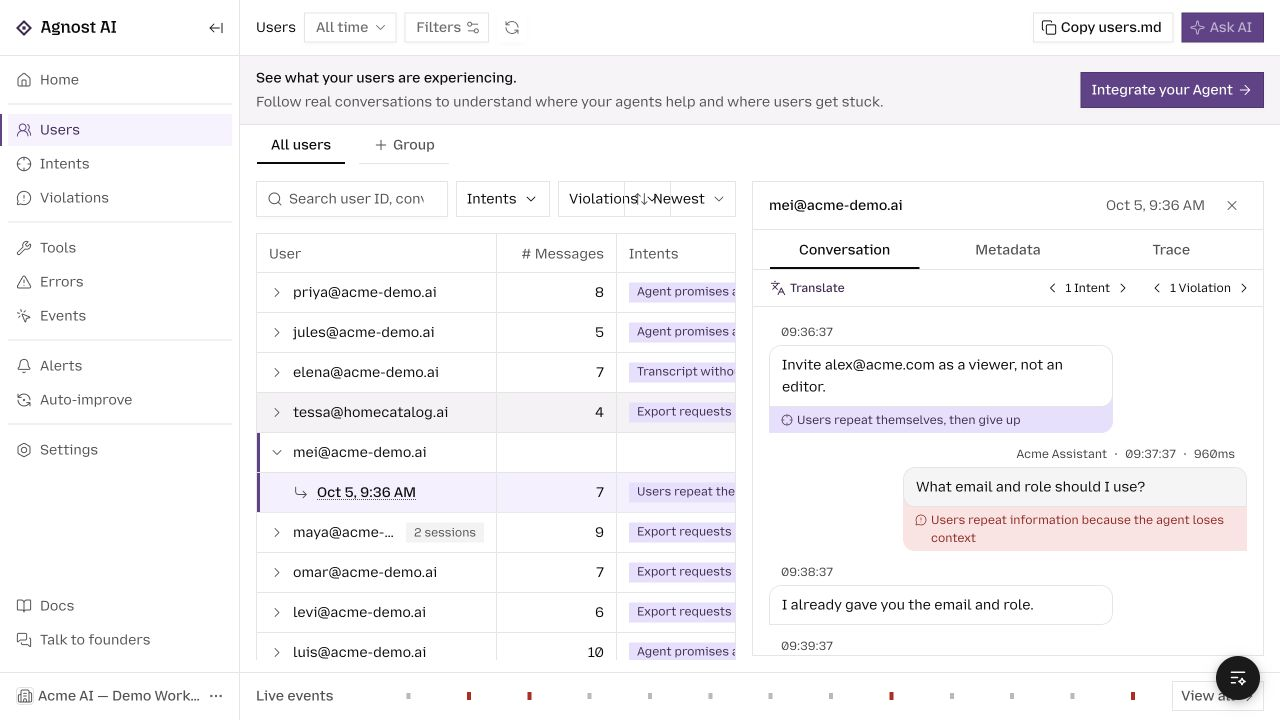
In Agnost, inspect the conversation first; use the deeper instrumentation you configured to inspect the handoff and tool. The direct wrapper in this guide captures the public run, not those internal steps by itself.
Metrics that answer useful OpenAI Agents SDK questions
Use these definitions to design your measurement plan. Calculate them from the required application or tracing evidence; they are not all precomputed dashboard metrics.
| Metric | Definition | Interpretation |
|---|---|---|
| Routing quality | Reviewed correctly routed requests / reviewed routed requests | A high handoff rate alone is neither good nor bad. |
| Guardrail decisions | Blocked requests grouped by reason and review outcome | Separate correct blocks, false blocks, and system errors. |
| Confirmed task completion | Requests with authoritative completion / eligible requests | A final output is not the same as a verified action. |
Distinguish the run from the conversation
One user conversation can contain several runs. One run can involve model calls, tools, and a handoff. Counting those internal operations as new user requests makes volume and completion metrics misleading.
Keep a stable conversation ID supplied by your application. Record a distinct attempt ID for each invocation. If an external tool changes something, preserve the action’s own identifier as well. A retry should not become a new customer, and a repeated action should not disappear inside an aggregate success count.
The Agents SDK’s official observability documentation describes built-in tracing for model calls, tools, handoffs, guardrails, and custom spans in the normal server-side path. That execution detail and your product’s outcome data answer different questions.
Capture a non-streaming run in Agnost
Install agnost alongside the existing openai-agents package. This adapter accepts an agent your application already configures; it does not change the model, tools, or instructions.
Example scope: the code below is an integration adapter for an existing application. Configure its framework, model, credentials, and output contract as described; the demo screenshots were not generated by running these snippets.
import os
from uuid import uuid4
import agnost
from agents import Runner

agnost.init(os.environ["AGNOST_ORG_ID"])


async def observed_run(agent, prompt, *, user_id, conversation_id,
                       output_to_text):
    interaction = agnost.begin(
        user_id=user_id,
        conversation_id=conversation_id,
        agent_name="openai-support",
        input=prompt,
        properties={
            "framework": "openai-agents",
            "agent_version": "support-v1",
            "attempt_id": str(uuid4()),
        },
    )
    try:
        result = await Runner.run(agent, prompt)
        safe_output = output_to_text(result.final_output)
    except Exception as exc:
        interaction.end(output=type(exc).__name__, success=False)
        raise
    else:
        interaction.end(output=safe_output, success=True)
        return result
Set AGNOST_ORG_ID on the server. Supply sanitized prompt text and a serializer that selects approved public output. If your agent returns a structured object, do not indiscriminately serialize all fields. The official quickstart documents Runner.run and final_output.
Initialize the Agnost SDK once and flush it at process exit with agnost.shutdown(). Keep the existing provider credentials and agent configuration in their normal server-side location. No credentials belong in the article or recorded prompts.
The wrapper’s success flag means the run returned normally. It does not mean an external action completed or a user accepted the answer. The conversation identifier also does not configure model memory; retain your application’s own session/history handling.
Read handoffs as routing decisions
A handoff can be exactly the right behavior. For example, a general assistant may route a billing question to a billing specialist. Monitor whether the request reached the appropriate specialist and whether the specialist received enough context.
A useful investigation asks:
- What did the user request before the handoff?
- Which agent owned the next step?
- Was relevant context preserved?
- Did execution continue toward a result or cycle through agents?
- Did the user receive a coherent final answer?
Record stable agent identities and routing evidence where available. A higher handoff rate is not inherently worse; it may reflect more requests needing specialist handling. Compare the same task categories before drawing conclusions.
Treat guardrail outcomes deliberately
A guardrail blocking an unsafe or unsupported action may be correct product behavior. A guardrail incorrectly blocking a legitimate request is a quality issue. A failed guardrail service is an operational issue. Combining all three as “agent failures” obscures the action you need to take.
Keep a reason category and a reviewable, appropriately sanitized record. The generic exception branch in the sample preserves execution failure but does not classify every guardrail outcome. Add application-specific classification using the exception and result types of your installed SDK. Do not infer whether a block was correct just from its presence.
Observe tools at the point of truth
A function tool returning text is not sufficient evidence that a payment, booking, or update succeeded. Capture the authoritative operation result in the tool implementation. Keep pending and unknown outcomes explicit.
If the answer says “done” while the service returned a rejection, investigate how the tool result reached the agent. If the same action runs twice, inspect retries and idempotency identifiers. If a tool is slow, distinguish time spent waiting on it from time spent in model generation.
For deeper Agnost execution evidence, follow the Agents SDK instrumentation guide. Confirm that your trace processor or instrumentor is active before runs. Do not disable tracing globally while expecting a tracing-dependent integration to continue emitting spans. Inspect an actual run to establish coverage.
Streaming and aborted requests need their own lifecycle
A streaming result object is not a completed answer. End the interaction after consuming the stream or receiving the appropriate terminal signal. Record failures and cancellations, and guard against calling the terminal handler twice.
A server’s generation completion is different from browser delivery. If the user disconnects, the backend may continue running. Link client and server observations through an application request ID when you need to measure what was actually displayed.
Review outcomes in Agnost
Use Users to follow related interactions and Events to inspect received records. Organize recurring requests by configured intent, then review the evidence behind corrections, repeated handoffs, or failed actions.
Start with one actionable question, such as whether billing requests reach the right specialist. Add the evidence required to answer it rather than collecting every available payload. Request duration, tool status, routing, and observed outcome are often more useful together than a large count of disconnected spans.
Frequently asked questions
Do I need to replace OpenAI’s tracing?
No. A conversation wrapper can coexist with an existing tracing setup. Decide deliberately where deeper traces are exported and which record represents one request in your metrics.
Does a final output mean the task is resolved?
It means the run produced a final output. Resolution needs a task-appropriate signal, such as an authoritative action result or explicit review.
For typed-output validation concerns, continue with Pydantic AI monitoring. For the integration itself, use Agnost’s OpenAI Agents guide.
Browse all agent observability guides by framework.